


You must know from where the data that your app consumes, is coming. Monitoring network traffic is what this involves. On Android, Google erects a few impediments to this. Fortunately for us, the community is on our side. We’ll show you how to combine a few tools to get the prize you’re looking for.
You can simply contact X-Byte Enterprise Crawling for mobile data scraping and for a cross-platform way to check the traffic for android apps and get the code. We have declared a tool called apk-mitm and will help you in modifying network security profile information from your applications apk file to view the traffic. The factors important for that are:
- Android Developer Studio
- NodeJS
- MITMProxy
- APK-MITM
Read the instructions for Scraping Android Apps:
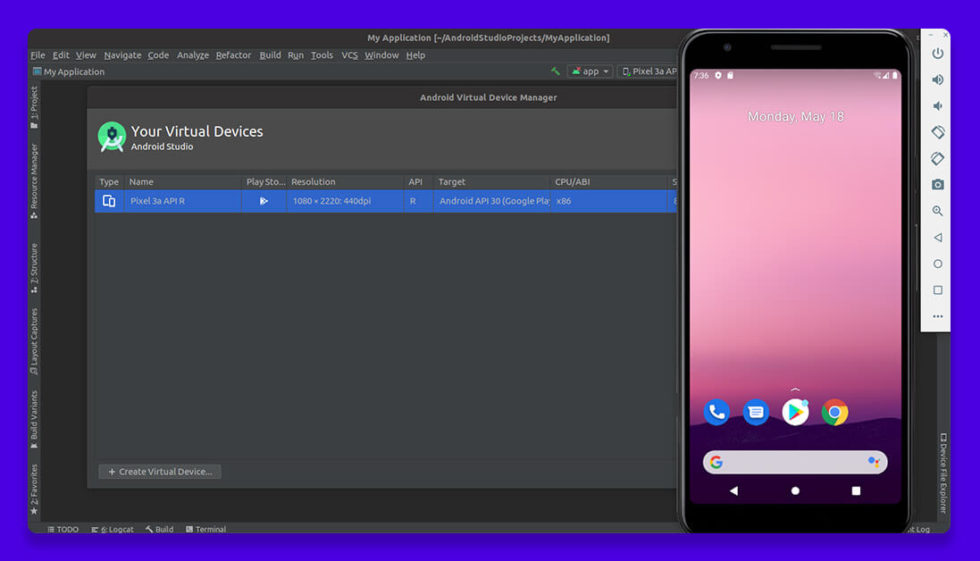
1. Develop and Start your Android Virtual Device
To build your emulator, visit the AVD Manager from the tool’s menu inside Android Developer Studio. You don’t need to bother about any special settings; anyone can choose any phone and Android version. Here, we have taken an example of Pixel 3, with a preview version of Android.
2. Get the APK File and Evaluate it with APK-MITM
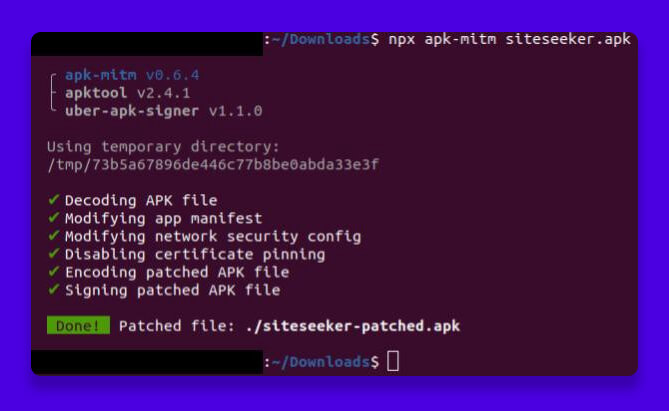
To run on our emulator, you will need an APK file. It will only consume a straightforward line to use APK-MITM after it gets downloaded. Check this link https://apkgk.com where you will be able to find an app to run on an emulator.
3. Setting Up the Proxy
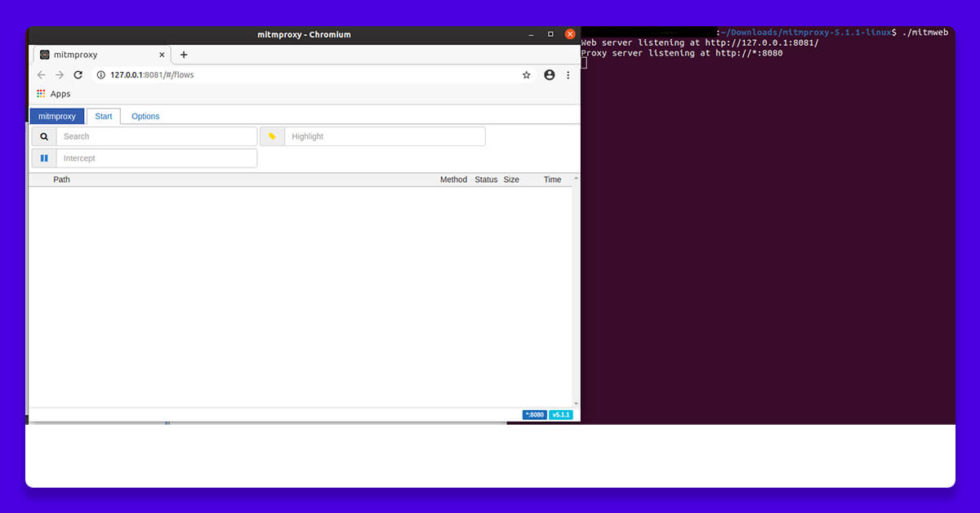
It is preferable to use mitmweb over the other mitmproxy tools. To initiate this on Ubuntu, you must navigate to download the tools and then type “./mitmweb”.
4. Setting Your AVD to Use the Proxy
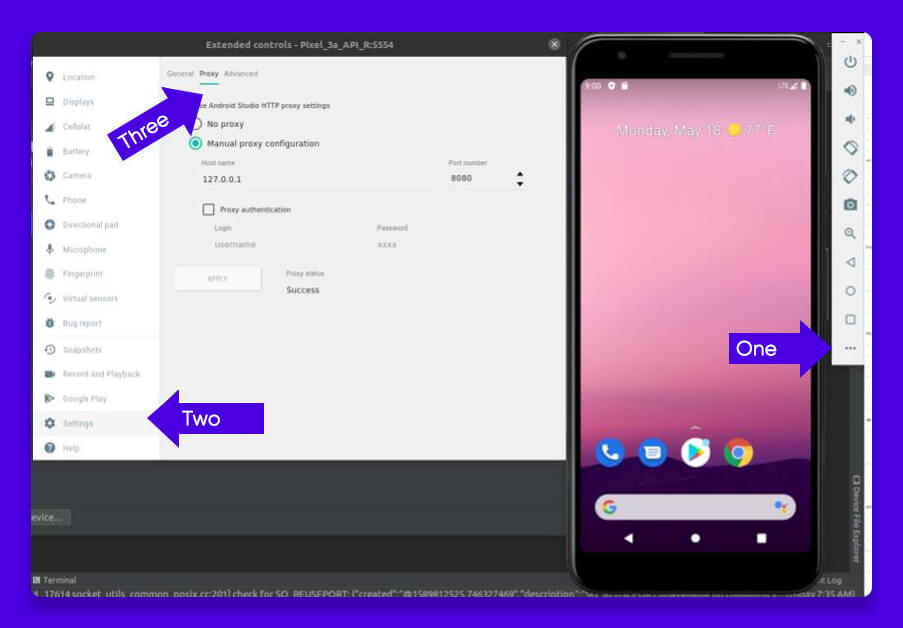
Go to advanced settings of your AVD, click on settings, and then set the proxy. You will have to set it as shown below. Select 127.0.0.1 as the port number, and then click on apply. You will have to reboot AVD and long press SSthe power button to continue.
5. Installing the mitmproxy CA certificate on the AVD
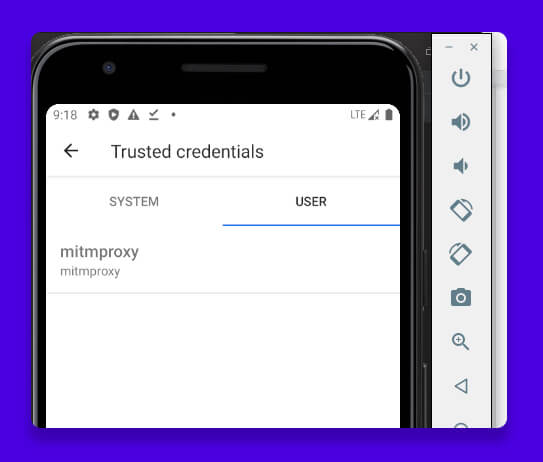
Open the browser in your Android emulator and go to mitmproxy Docs. Then, to download the certificate, click the android symbol. To install the certificate you downloaded, navigate to Settings -> Security -> Encryption & Credentials -> Install a Certificate -> CA Certificate. If mitmproxy Appears in your Trusted Credentials, you’ve done it correctly.
6. Installing The App And View The Traffic
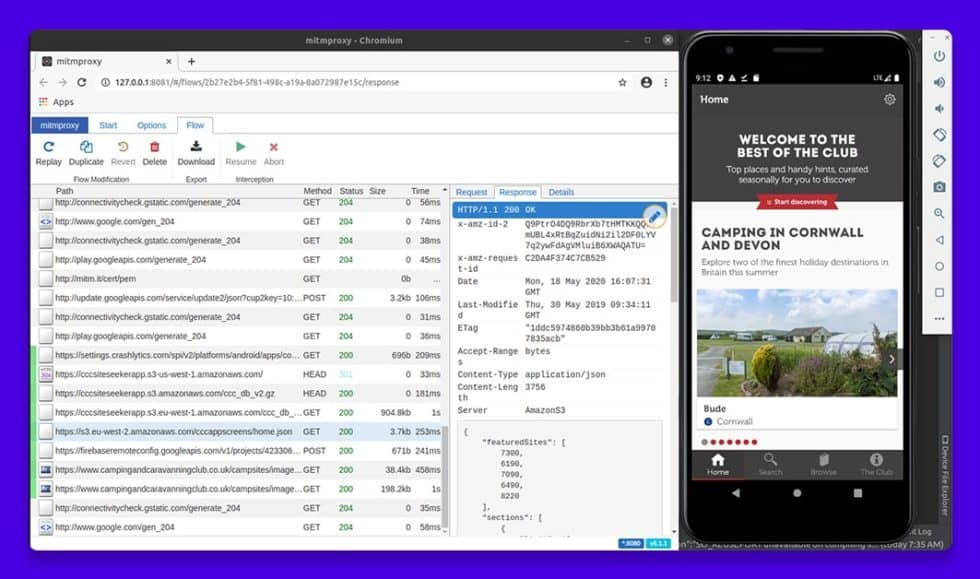
Drag the file you created in step 2 onto the screen of your device emulator to install the program. When you open it up, you should see some traffic on the mitmproxy screen. This one is pulling a json file from AWS S3. To ensure smooth operation and optimize CPU performance, make sure your virtual device is configured efficiently and not overloaded with unnecessary background processes.
Feel free to contact X-Byte Enterprise Crawling today!
 ✯ Alpesh Khunt ✯

Related Blogs

The Role of Data Annotation in Large Language Model Training and Performance
How Web Scraping Is Used to Extract eCommerce Data From eBay